> ## Documentation Index
> Fetch the complete documentation index at: https://docs.mindosoftware.com/llms.txt
> Use this file to discover all available pages before exploring further.
# Ad descriptions for the AI agent
> Why the AI agent needs a product description on every ad, and how to load it into Mindo when the ad post doesn't have one
When a customer replies to an ad (Facebook, Instagram, etc.), the AI agent uses the **text of that post** to understand which product it's about. If the text doesn't describe the product, the agent doesn't have enough context and avoids answering price, detail, or features so it doesn't make up data.
## Demo video
This is **not a bug in the agent**: it's the expected behavior. It prefers to ask for more information rather than give the customer an incorrect answer.
## The problem
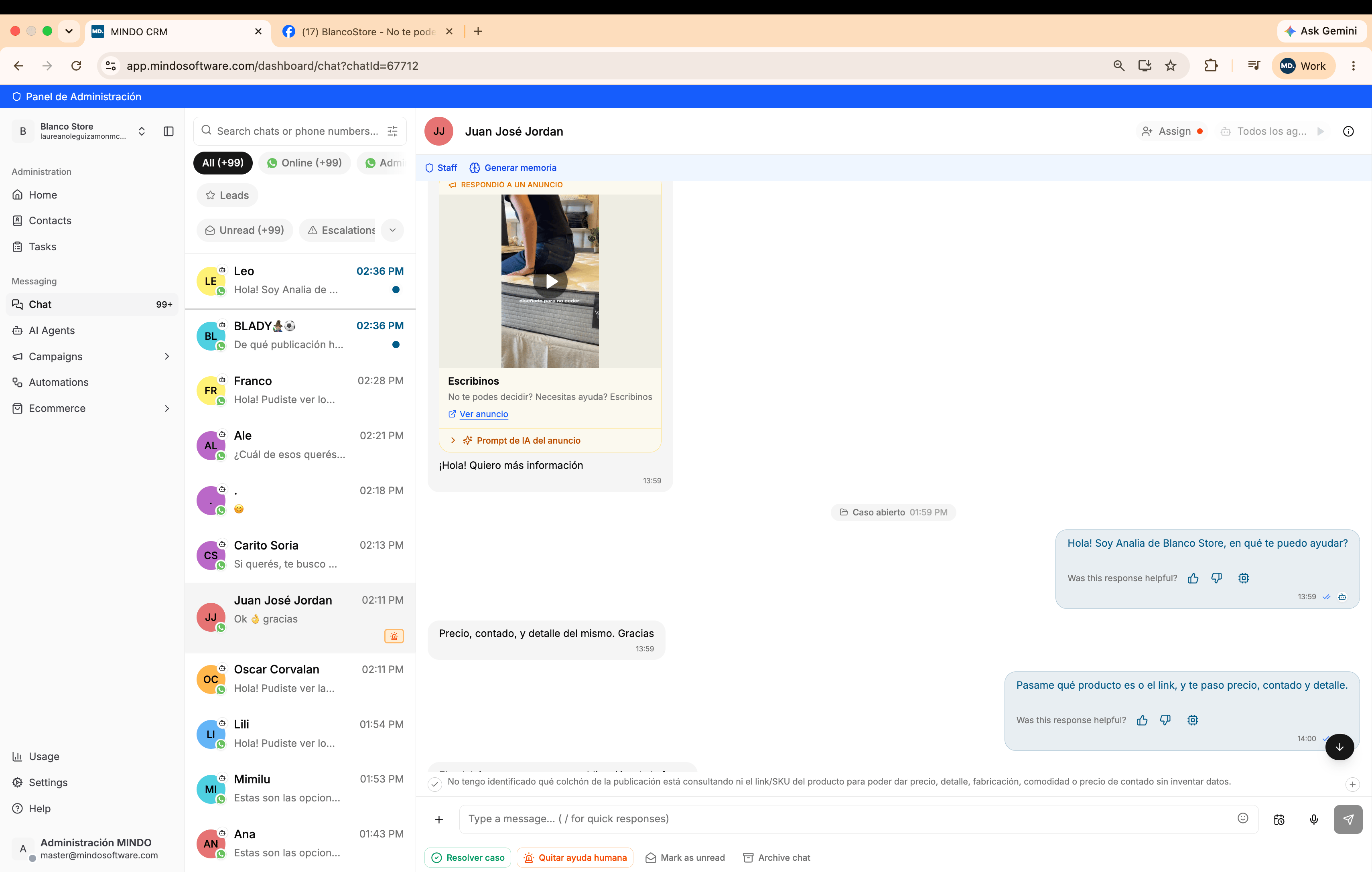
A customer replies to an ad and asks for price, cash payment, and product detail. The agent can't identify which product it is:
Internally, the agent notes that it doesn't have the link, the SKU, or the product description, so it can't give price, detail, manufacturing, or comfort information without making up data.
### Why this happens
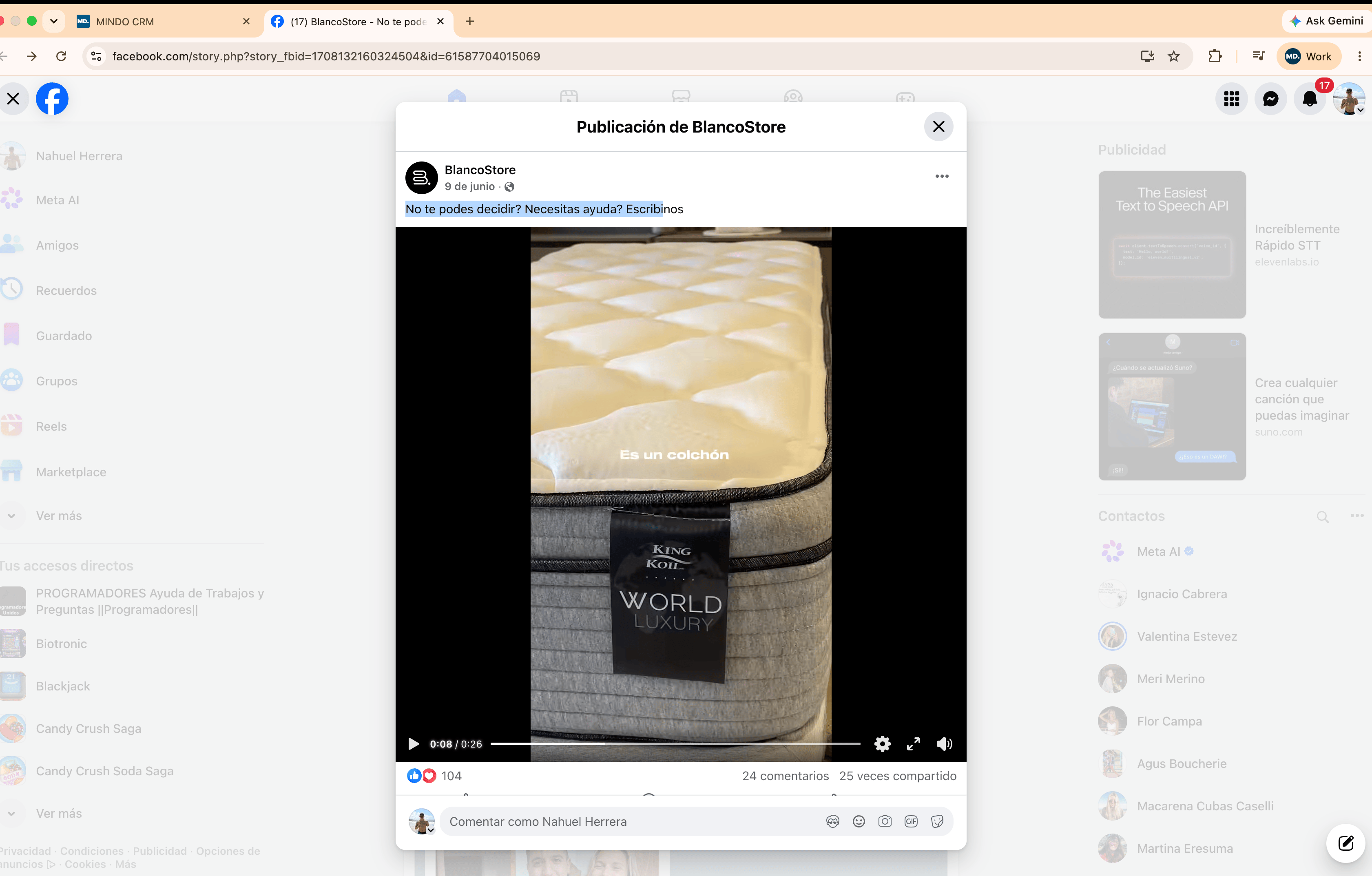
The original Facebook ad shows a King Koil mattress, World Luxury line, in the video. But the post's **text** only says "Can't decide? Need help? Message us", without mentioning the brand, model, or any product data:
The AI agent only reads the post's **text**; it doesn't interpret the video or image content. If the text doesn't identify the product, the agent has no source for that information.
## The fix: overwrite the context in Mindo
You don't need to edit the ad on the source platform. Inside any chat that comes from a reply to an ad, Mindo exposes the context the agent uses for that post and lets you correct it.
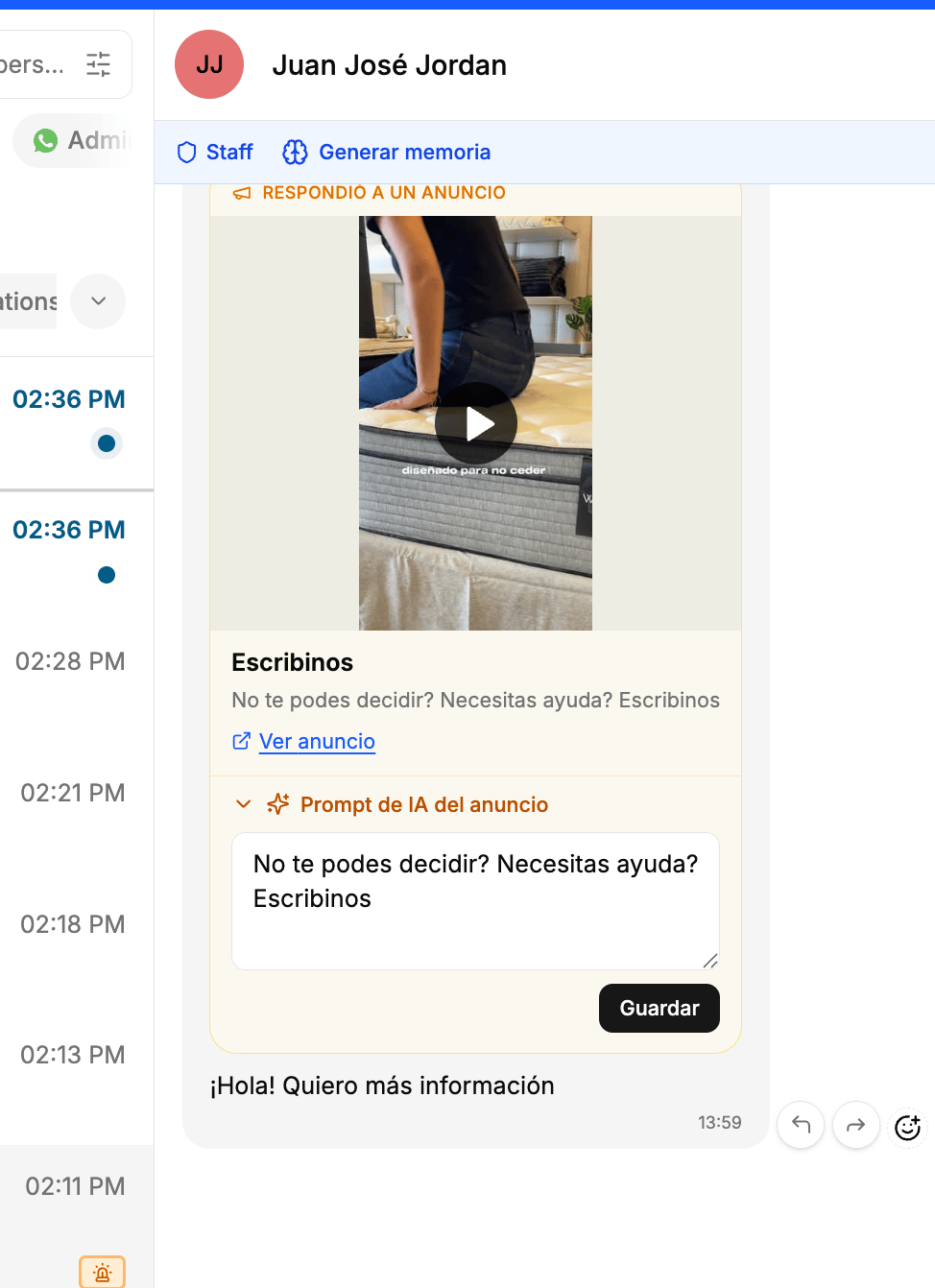
It's identified by the **"REPLIED TO AN AD"** label above the card with the post's image or video.
Below the ad card, open the **"AI prompt for the ad"** section. By default it holds the same generic text from the original post: it's the editable field that defines the agent's context for that ad.
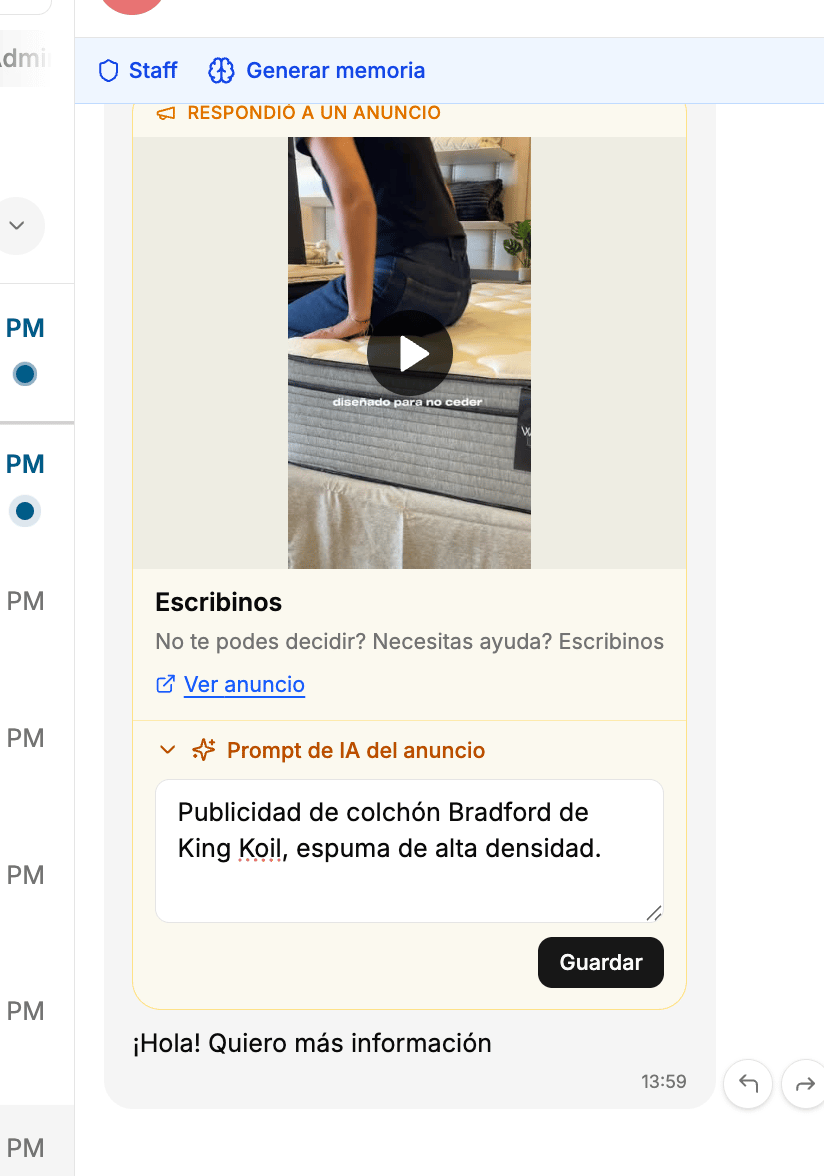
Replace the text with an accurate description: brand, model, and a distinctive feature. For example, "Ad for the Bradford mattress by King Koil, high-density foam". Then click **Save**.
## Result
The configuration stays linked to that ad permanently. You don't need to repeat this step for every new customer: every future inquiry that comes from that same post already has the real product's context, and the agent can answer price, detail, and other questions without asking for the link or the SKU.
## Frequently asked questions
No. The ad can stay as it is on the source platform. The context is corrected directly in Mindo, from the "AI prompt for the ad" section of any chat that comes from that post.
No. It's configured once per ad. Once saved, it stays linked to that post and applies automatically to every future conversation that comes from it.
The agent already has context from the first message, so there's nothing to change in Mindo. That's why it's worth including the product, the brand, and a relevant detail in the post's text from the moment the ad is created.
It's identified by the **"REPLIED TO AN AD"** label above the card with the post's image or video, inside the chat.
Whatever is essential to identify the product without ambiguity: name or model, brand, and a distinctive feature (material, size, line). You don't need to include price or stock there; the agent resolves those with the rest of the information configured in Mindo.
It applies to any post in any category. The principle is always the same: if the ad's text doesn't identify the product, you need to load it manually into the "AI prompt for the ad" so the agent has context.
 Internally, the agent notes that it doesn't have the link, the SKU, or the product description, so it can't give price, detail, manufacturing, or comfort information without making up data.
### Why this happens
The original Facebook ad shows a King Koil mattress, World Luxury line, in the video. But the post's **text** only says "Can't decide? Need help? Message us", without mentioning the brand, model, or any product data:
Internally, the agent notes that it doesn't have the link, the SKU, or the product description, so it can't give price, detail, manufacturing, or comfort information without making up data.
### Why this happens
The original Facebook ad shows a King Koil mattress, World Luxury line, in the video. But the post's **text** only says "Can't decide? Need help? Message us", without mentioning the brand, model, or any product data:
 The AI agent only reads the post's **text**; it doesn't interpret the video or image content. If the text doesn't identify the product, the agent has no source for that information.
## The fix: overwrite the context in Mindo
You don't need to edit the ad on the source platform. Inside any chat that comes from a reply to an ad, Mindo exposes the context the agent uses for that post and lets you correct it.
The AI agent only reads the post's **text**; it doesn't interpret the video or image content. If the text doesn't identify the product, the agent has no source for that information.
## The fix: overwrite the context in Mindo
You don't need to edit the ad on the source platform. Inside any chat that comes from a reply to an ad, Mindo exposes the context the agent uses for that post and lets you correct it.