> ## Documentation Index
> Fetch the complete documentation index at: https://docs.mindosoftware.com/llms.txt
> Use this file to discover all available pages before exploring further.

# Permanently pause the agent

> How to permanently disable the AI agent for a specific contact, ideal for teammates or internal contacts

When you have internal contacts like teammates, partners, or suppliers, you probably don't need the AI agent to reply to them automatically. With the **permanent pause** you can disable the agent for a specific chat without affecting the rest of your conversations.

<iframe width="100%" height="400" src="https://www.youtube.com/embed/IBeSATQXqHs" frameBorder="0" allow="accelerometer; autoplay; clipboard-write; encrypted-media; gyroscope; picture-in-picture" allowFullScreen />

## Before you start

* You need an **active AI agent** in your business.
* The contact must have at least one **open conversation** in Chat.

## Steps to pause the agent

<Steps>
  <Step title="Go to Chat">
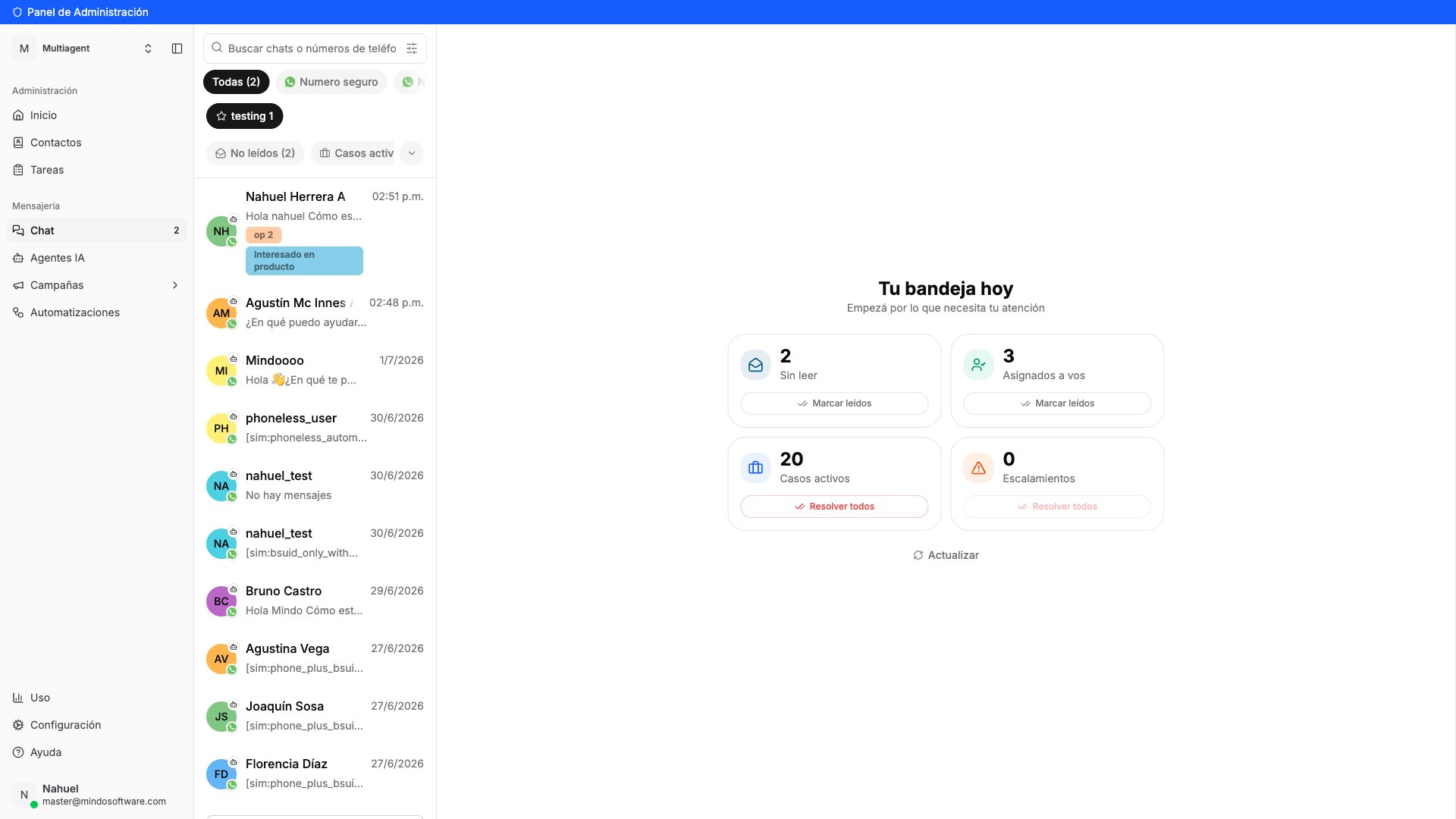
    In the sidebar, click **Chat** under the **Messaging** section. You'll see the list of all your conversations.

    <Frame caption="Conversation list in Chat">
      <img src="https://mintcdn.com/mindo/7pxA-6VTHmOr3ZRq/images/pausar-agente-chat-lista.png?fit=max&auto=format&n=7pxA-6VTHmOr3ZRq&q=85&s=f22ba8d006b9b08eb523f10c074a60f6" alt="Conversation list in Mindo Chat" width="1920" height="1080" data-path="images/pausar-agente-chat-lista.png" />
    </Frame>
  </Step>

  <Step title="Open the contact's conversation">
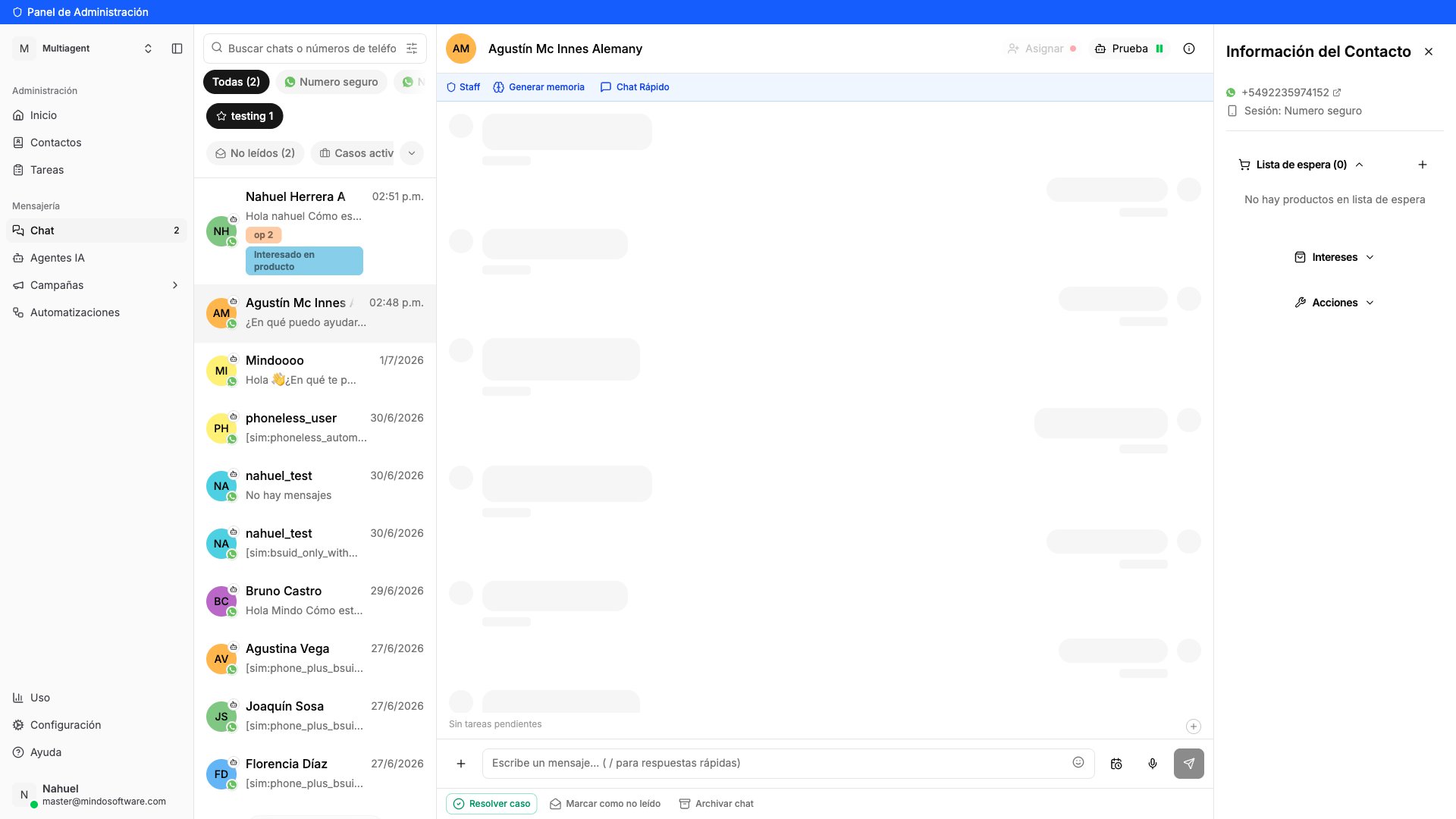
    Find and click the conversation for the contact you want to pause the agent for.

    <Frame caption="Chat open with the selected contact">
      <img src="https://mintcdn.com/mindo/7pxA-6VTHmOr3ZRq/images/pausar-agente-chat-abierto.png?fit=max&auto=format&n=7pxA-6VTHmOr3ZRq&q=85&s=bc3191201afd4e2e05d87c60ba8b11a7" alt="Open conversation with a contact in Chat" width="1920" height="1080" data-path="images/pausar-agente-chat-abierto.png" />
    </Frame>
  </Step>

  <Step title="Open the agent menu">
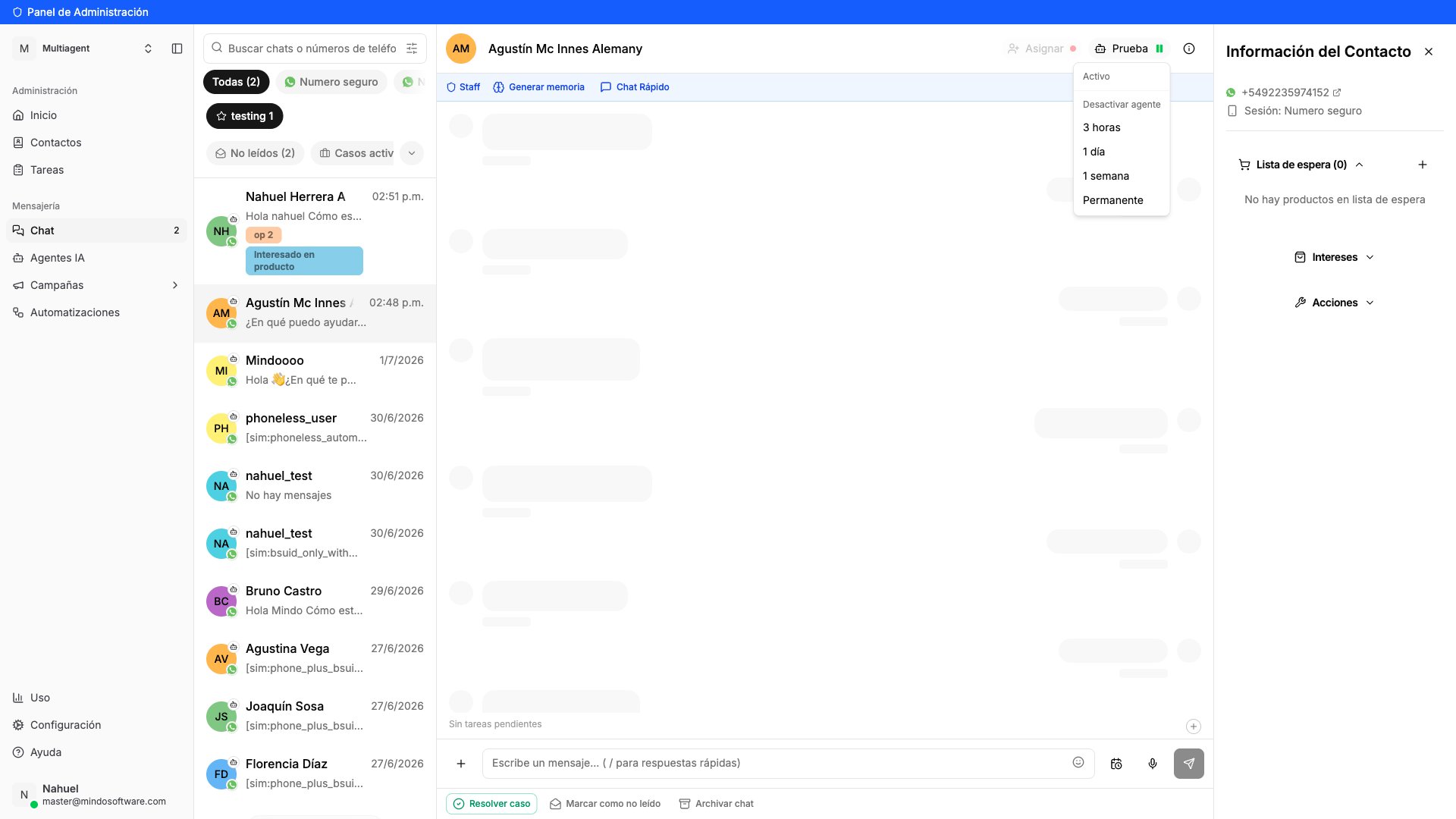
    At the top of the chat, you'll see a button with the name of the active agent (for example, **"Prueba"**). Click that button to expand the pause options.

    A menu opens with the following options:

    * **3 hours** — short temporary pause
    * **1 day** — pause for one day
    * **1 week** — pause for one week
    * **Permanent** — the agent no longer replies in this chat

    <Frame caption="Agent menu with pause options">
      <img src="https://mintcdn.com/mindo/7pxA-6VTHmOr3ZRq/images/pausar-agente-menu-desplegado.png?fit=max&auto=format&n=7pxA-6VTHmOr3ZRq&q=85&s=6c6bd1f0ea2daa496e33cae238f11cf6" alt="Agent dropdown menu showing pause options: 3 hours, 1 day, 1 week, Permanent" width="1920" height="1080" data-path="images/pausar-agente-menu-desplegado.png" />
    </Frame>
  </Step>

  <Step title="Select Permanent">
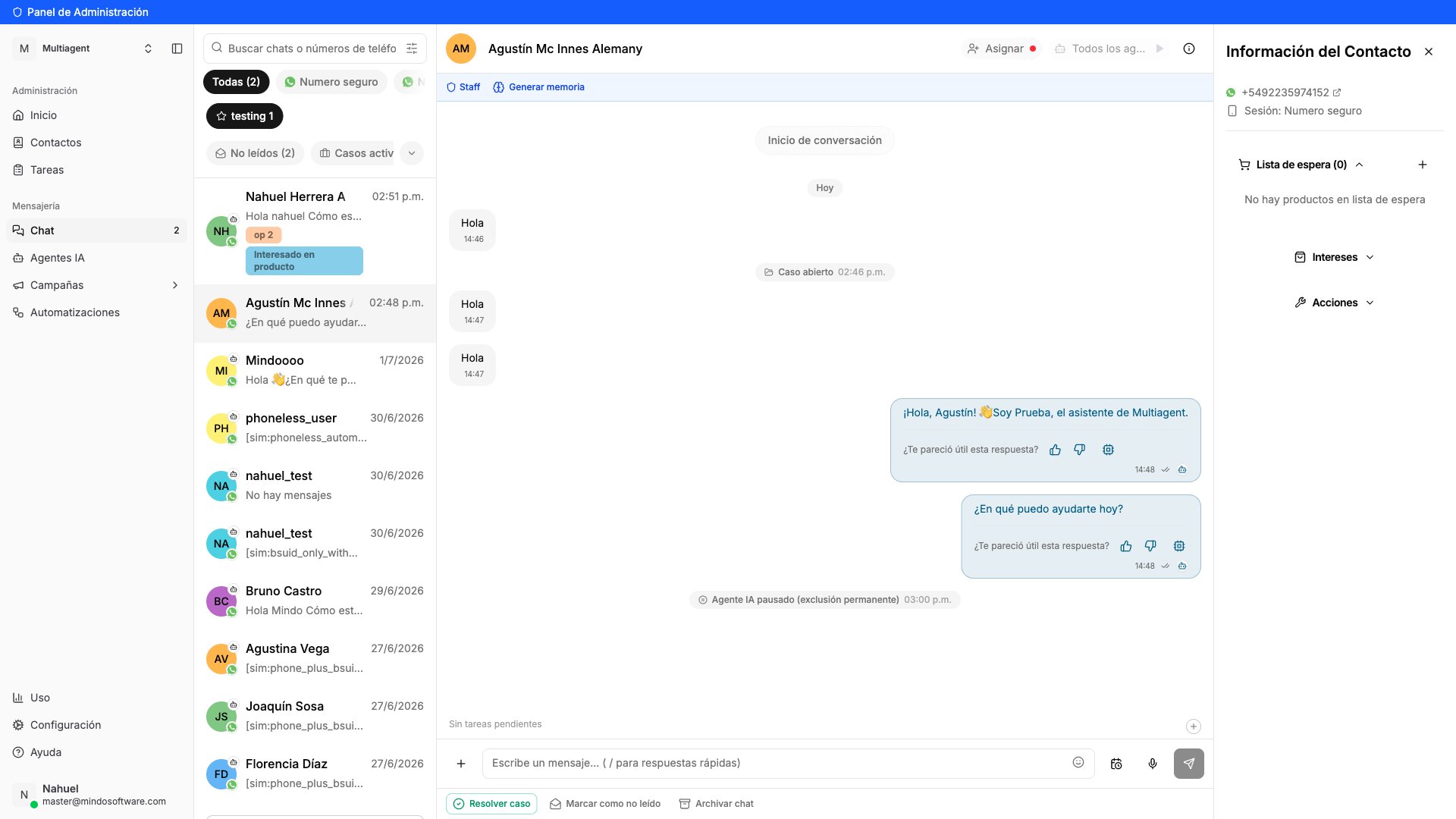
    Click **Permanent**. A message appears in the chat saying **"AI Agent paused (permanent exclusion)"** and the agent button changes to **"All agents"**.

    <Frame caption="Agent permanently paused">
      <img src="https://mintcdn.com/mindo/7pxA-6VTHmOr3ZRq/images/pausar-agente-resultado.png?fit=max&auto=format&n=7pxA-6VTHmOr3ZRq&q=85&s=ec1c72a194afdf4774cc3f50dc7ad789" alt="Chat showing confirmation message: AI Agent paused (permanent exclusion)" width="1920" height="1080" data-path="images/pausar-agente-resultado.png" />
    </Frame>
  </Step>
</Steps>

## How do I know it worked

The agent button at the top of the chat says **"All agents"** and the chat history shows the message **"AI Agent paused (permanent exclusion)"**. From now on, only your human team can reply in that conversation.

## Frequently asked questions

<AccordionGroup>
  <Accordion title="I paused the agent by mistake. Can I reactivate it?">
    Yes. Click the **"All agents"** button at the top of the chat and select **"Reactivate agent"**.
  </Accordion>

  <Accordion title="Does this affect all chats for this contact?">
    No. The pause only applies to the conversation where you configured it. If the contact has chats on other numbers or sessions, those are not affected.
  </Accordion>

  <Accordion title="Can I pause the agent just for a while?">
    Yes. In the same menu you have temporary pause options: **3 hours**, **1 day**, or **1 week**. When the time is up, the agent reactivates automatically.
  </Accordion>

  <Accordion title="Does the contact receive any notification?">
    No. The contact doesn't see any change. They simply stop receiving automatic replies from the agent.
  </Accordion>

  <Accordion title="What is the permanent pause useful for?">
    It's ideal for internal contacts (coworkers, partners, suppliers) where you prefer only your human team to respond, without the bot stepping in.
  </Accordion>
</AccordionGroup>

<CardGroup cols={1}>
  <Card title="Go to Chat" icon="arrow-up-right-from-square" href="https://app.mindosoftware.com/dashboard/chat">
    Pause the agent for a contact from the Mindo platform.
  </Card>
</CardGroup>