How to enable or disable your AI agent with a single switch so it answers (or stops answering) your customers’ WhatsApp messages
The AI agent is the assistant that answers your customers’ WhatsApp messages on its own. Turning it on or off is as simple as flipping a switch: when it’s active, it replies automatically based on its configuration; when it’s inactive, it doesn’t answer anything. In this guide we use an agent called Vendedor as an example.
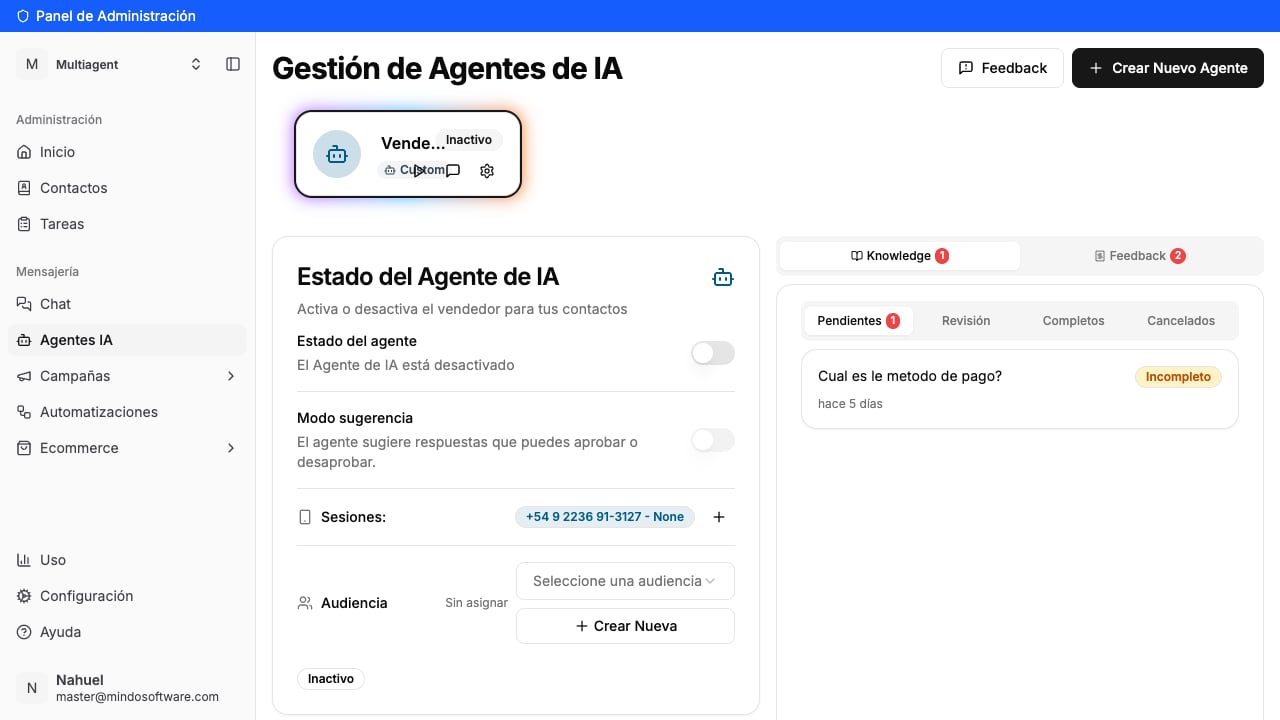
In the left-hand menu, open AI Agents. You’ll see your “Vendedor” agent with the Inactive label, and on the left the AI Agent Status panel.
The agent shows as Inactive
2
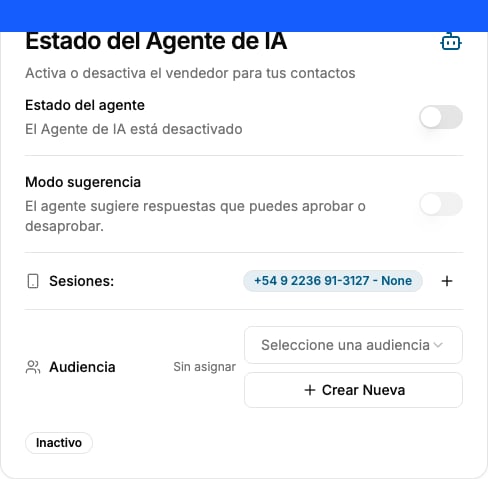
Look at the Agent status switch
Inside that panel is the Agent status switch. When it’s off, it reads “The AI Agent is disabled” and below you’ll see the Inactive label.
Also make sure the WhatsApp session is already connected (the number must appear under “Sessions”).
Switch off: the agent is disabled
3
Flip the switch to turn it on
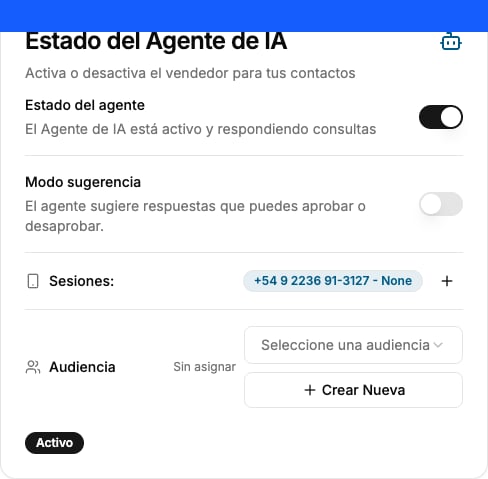
Click the switch. It fills with color and the text changes to “The AI Agent is active and answering queries”. The label below switches to Active.
Switch on: the agent is active
4
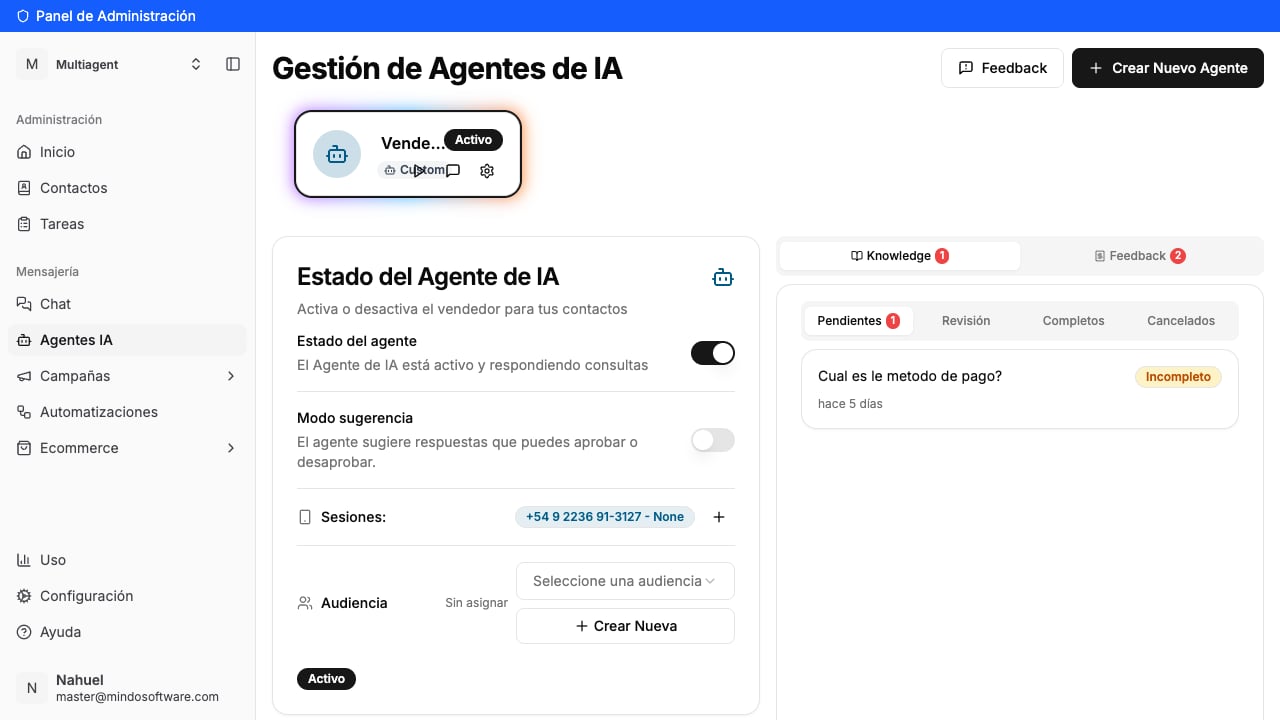
Done! Your agent is on
At the top, your “Vendedor” agent card now shows the Active label. From this moment, the agent answers the messages coming through the connected session on its own.
To turn it off, flip the same switch again. The text goes back to “The AI Agent is disabled” and the label returns to Inactive. From then on, the agent stops replying automatically and the chats are handled by your team.
The agent starts automatically answering your customers’ WhatsApp messages, based on how it’s configured.
What is the Audience for?
It lets you limit which contacts the agent replies to. If you leave it as “Unassigned”, it applies generally. It’s optional: you can turn the agent on anyway and adjust the audience later.
What about Suggestion mode?
It’s an alternative: instead of replying on its own, the agent suggests the response so you can approve or discard it before sending. Turn on this mode if you’d rather review every message before it goes out. More info in the Suggestion mode guide.
I turned it on but it doesn't reply
Check that there’s a connected WhatsApp session (the number must appear under “Sessions”). Without a session, the agent can’t receive or answer messages.
How do I turn it off?
Flip the same switch again and it goes back to Inactive.
Go to AI Agents
Turn your AI agent on or off from the Mindo platform.